How to mute notification sounds for any app on Mac
The universal method that works for every macOS app, including the ones with no in-app sound settings. Takes 30 seconds per app.
Updated · August 2026·30-second read·Verified on macOS 26 Tahoe
How do I mute notification sounds on a Mac?
macOS lets you toggle off the sound for any app without disabling its notifications entirely. Here's the path on macOS 26 Tahoe. The same steps work back to macOS 13 Ventura with minor label differences.
Open System Settings from the Apple menu.
Click Notifications in the sidebar.
Scroll the list under “Application Notifications” and click the app you want to mute.
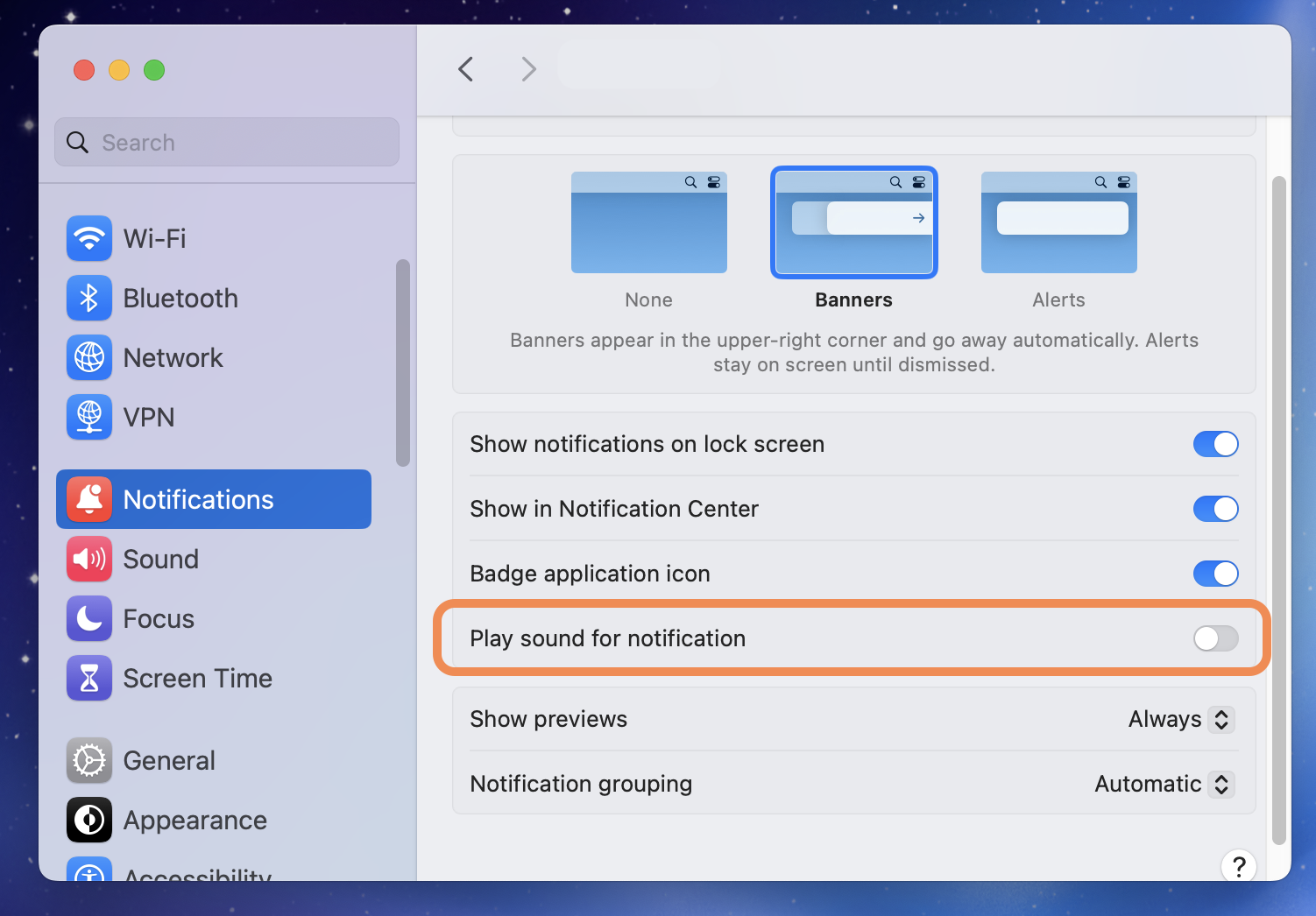
Toggle off “Play sound for notifications”.
The app still shows banners, with no sound.
System Settings → Notifications → your app → toggle off Play sound for notifications.
Mute, not disableMuting the sound is different from turning off notifications. You'll still see banners and badges, and hear Chirpy's custom sound (or silence) instead of the default chime. You keep the information and change only the audio.
Find your specific app
Some apps have their own sound that bypasses macOS: Slack, Discord, Apple Mail, a few others. They need their own guide. Find yours below.
Will I still see notifications if I mute the sound?
Yes. Muting the sound only stops the audio. Banners, badges, and Notification Center entries still arrive normally. You just hear silence (or Chirpy's custom sound) instead of the default chime.
What happens if I disable notifications entirely?
You won't see banners or badges either. If you only want to stop the sound but still see notifications, leave the app's notifications enabled and only toggle off 'Play sound for notifications'.
Do I have to do this for every app individually?
Yes, because macOS has no global mute. Most apps only need this once. We recommend muting the apps you have Chirpy rules for first, then anything else that's distracting.
What about apps that don't appear in System Settings?
Some utilities (terminal-notifier, Hammerspoon scripts, menu-bar apps) post notifications through a parent process. If you don't see the app listed, look for the bundle that owns it. For example, terminal-notifier sounds typically appear under 'terminal-notifier' or the calling Terminal app.
Why does my app keep making sounds even after muting?
A few apps have their own internal sound that bypasses macOS notifications: Slack's in-app mention sound, Discord's per-server sound, Apple Mail's per-account sound. Each of those has its own guide. Search above to find yours.
Once your apps are muted…
Chirpy lets you assign custom sounds based on rules. Different sound for Slack mentions vs DMs. A specific chime for your calendar. Nothing for everything else.