How to change Cron (legacy)'s notification sound on Mac
Cron (legacy) has no notification-sound settings of its own on macOS. To silence it, turn off “Play sound for notifications” for Cron (legacy) in System Settings → Notifications. To give it a different sound, or a different sound per channel, person, or keyword, you need a rule-based app such as Chirpy, which reads macOS notifications locally and plays the sound you assigned.
The short answer: Cron (legacy) doesn't expose notification-sound customization. Use the macOS-level method to mute it, or let Chirpy give it a custom sound.
How do I mute Cron (legacy) notifications on a Mac?
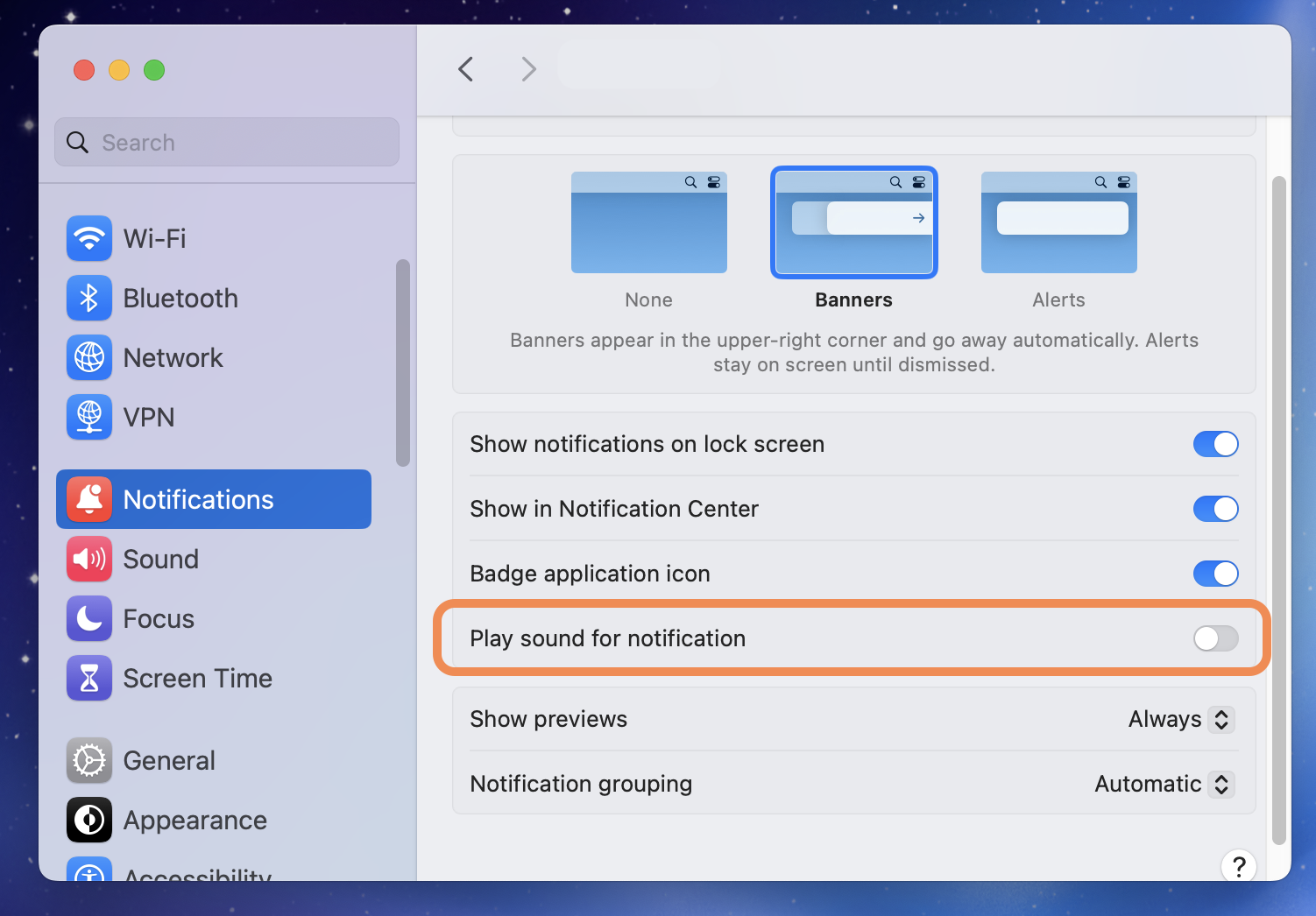
macOS lets you silence any app's sound without disabling its notifications. The full visual walkthrough lives on the universal macOS method page. The short version:
- Open System Settings → Notifications on your Mac.
- Scroll to Cron (legacy) in the application list and click it.
- Turn off “Play sound for notifications”.
- Cron (legacy) keeps showing banners and badges, with no audio.
Chirpy works with any macOS notification, including Cron (legacy)'s. Create one rule, pick a sound, and save.
Sorting out more than Cron (legacy)? The same method covers every app on your Mac: set a per-app notification sound.
Frequently asked questions
Can I change Cron (legacy)'s notification sound on Mac?
Not inside Cron (legacy), which exposes no notification-sound settings of its own. macOS offers a single system alert sound shared by every app. To give Cron (legacy) its own sound you need a third-party tool such as Chirpy, which matches macOS notifications against rules you write and plays the sound you chose.
How do I mute Cron (legacy) notifications on Mac without turning them off?
Open System Settings → Notifications, click Cron (legacy) in the list, and turn off “Play sound for notifications”. Cron (legacy) keeps showing banners and badges, so you stop hearing it without losing it.
Can I set a different sound for specific Cron (legacy) notifications?
Not with macOS or Cron (legacy) alone, because neither can read the content of a notification and act on it. Chirpy matches the notification text against rules you write, using a name, a channel, a keyword, or a combination with AND/OR, then plays the sound you assigned to that rule.
Does muting Cron (legacy) in System Settings also hide its banners?
No. “Play sound for notifications” only controls audio. Banners, the Notification Center list, and Dock badges are separate toggles on the same screen.
Want sounds that actually mean something?
Chirpy adds rule-based custom sounds on top of macOS notifications. One sound for Cron (legacy) mentions, another for your calendar, silence for the rest. It is a native menu bar app. $9.99 as a one-time purchase, requires macOS 13 or later, and runs entirely on your Mac.